How to buy Tesla tokenized stock in Tanzania
Good news: Pump.fun doesn't block Tanzania, so you can buy TSLAx — a token that stands for one Tesla share — with a few dollars of crypto, Apple Pay or a card. Here's how.
The quick version

Tesla on Pump.fun
Look for TSLAx in the Stocks tab
- Token
- TSLAx by xStocks, on Solana
- Tracks
- Tesla (TSLA), Nasdaq
- Fees
- 0.40% with a referral code, plus network and swap fees
- Paying in
- Apple Pay or debit/credit card via Deposit in the app, or send SOL/USDC. Options vary by country.
Referral link: we get part of the trading fee. Details. Not available in the UK, Russia and some other countries.
How it works
Screenshots from the Pump.fun app, October 2026. Prices are just examples.
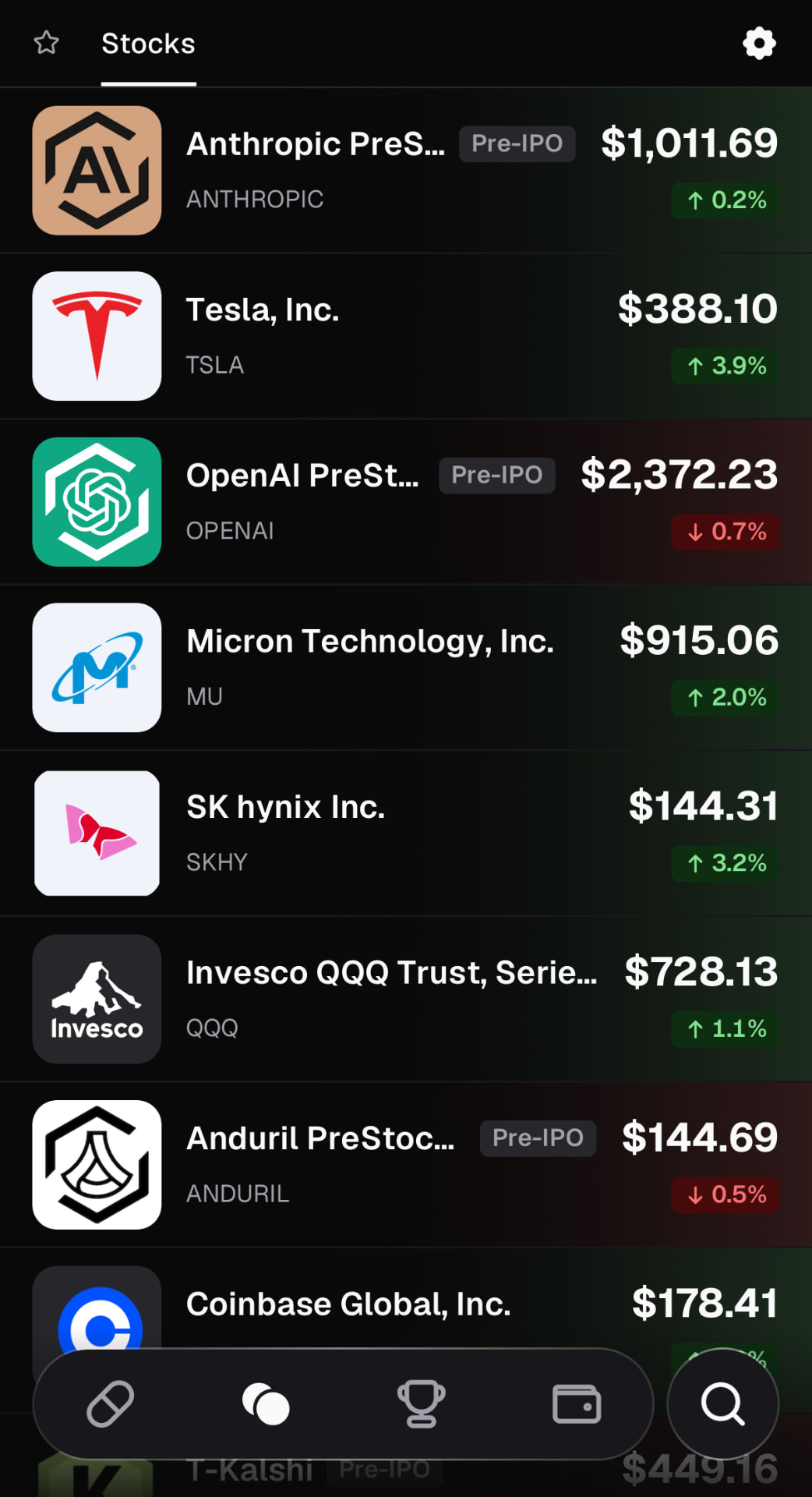
1.Open the Stocks tab
Tesla, Micron, the QQQ ETF and more, priced in dollars. Heads up: the “Pre-IPO” ones aren't shares in those companies.
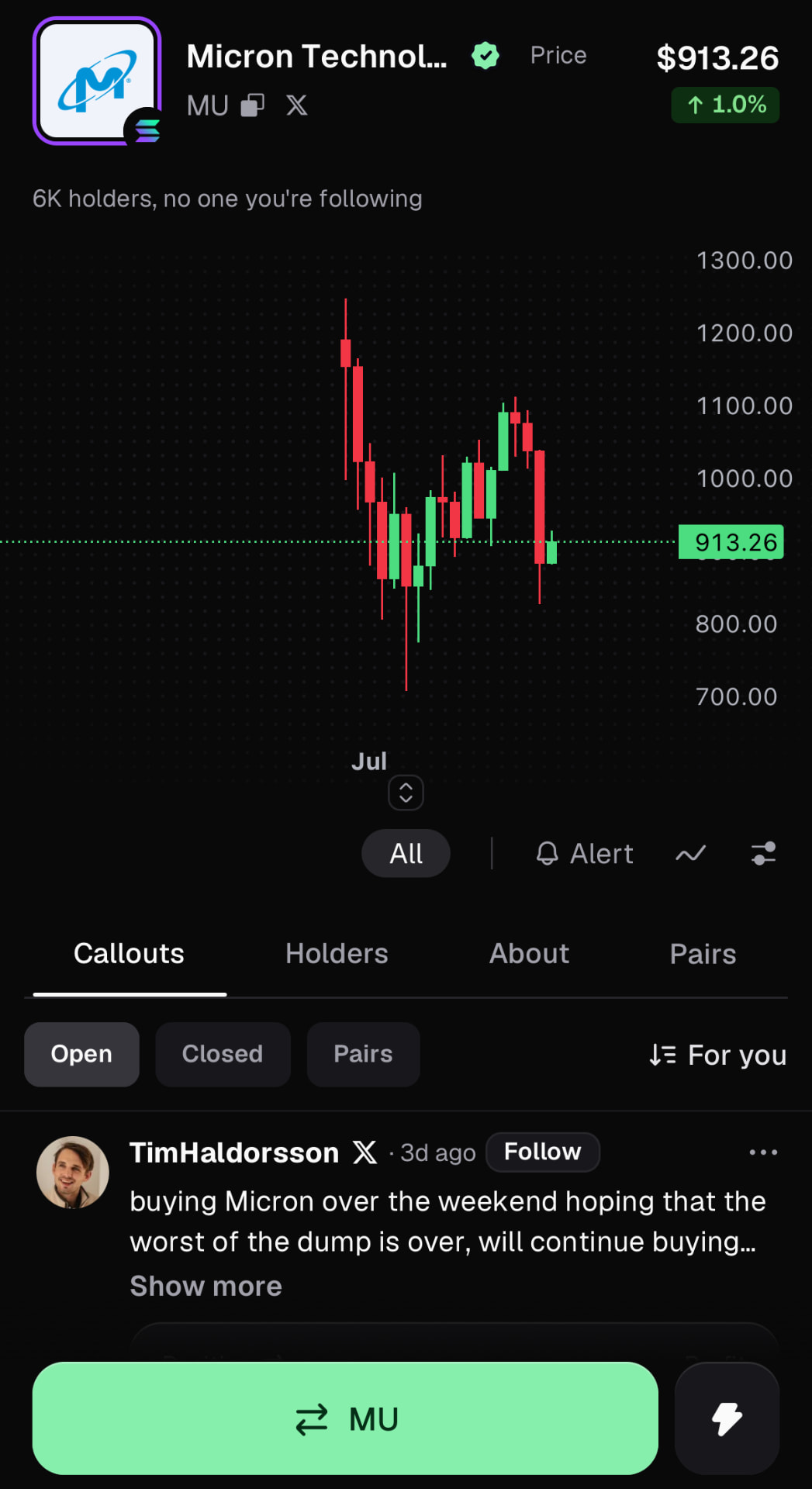
2.Pick the stock you want
Tap a stock to see its chart, then hit the green button to trade. Check for the badge next to the name so you get the real token, not a lookalike.
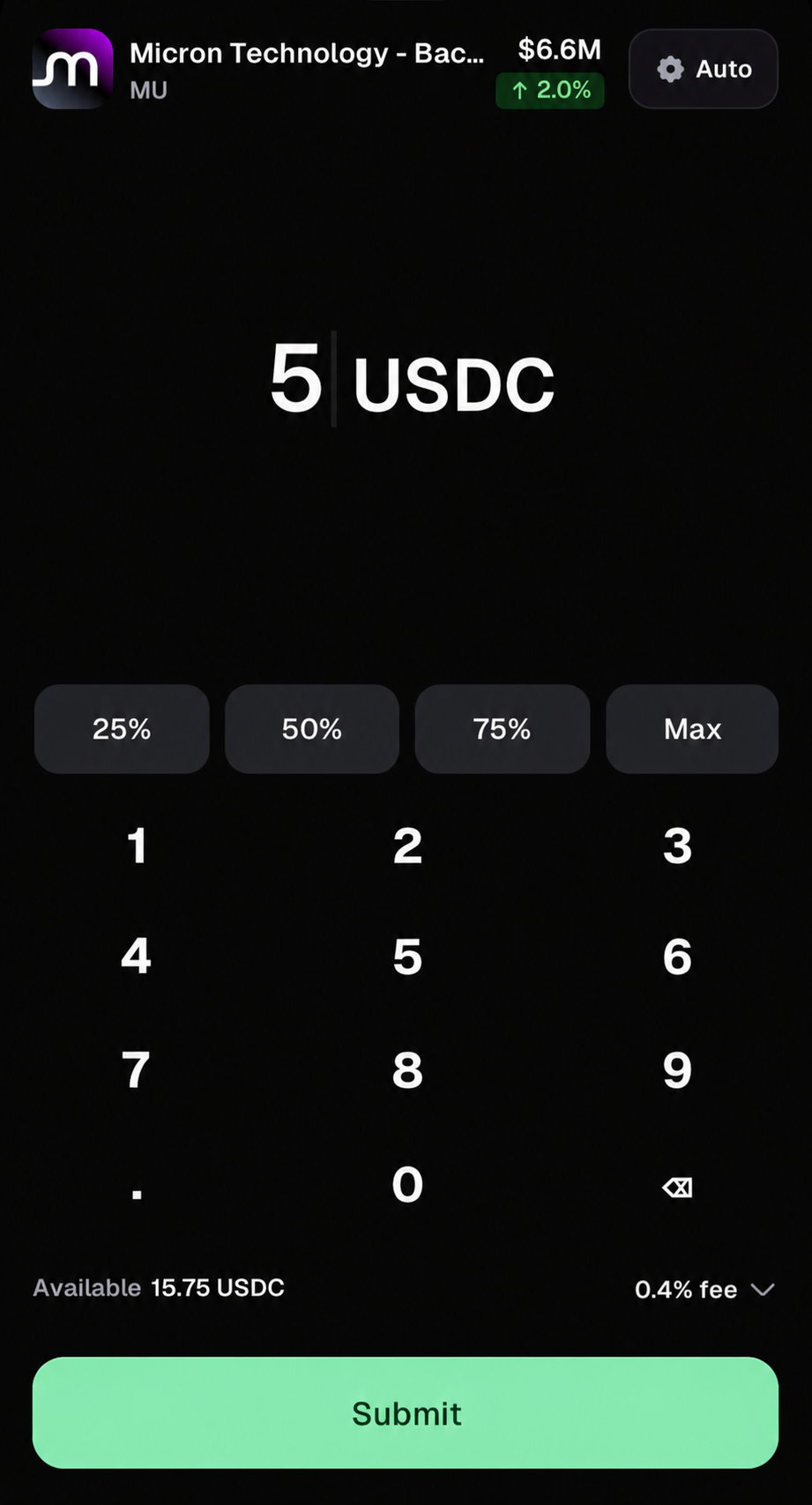
3.Buy with USDC
No crypto yet? Tap Deposit and top up with Apple Pay (Apple Card works too) or a debit or credit card. The fee shows before you hit Submit — 0.40% with a referral code.
Referral link: we get part of the trading fee. Details. Not available in the UK, Russia and some other countries.
The screenshots show Micron. For Tesla, search for TSLAx in step 2 and check the badge next to the name.
What you're actually buying
TSLAx stands for one Tesla share. xStocks holds the real TSLA shares and you hold the token. You get the price moves and reinvested dividends. You don't get voting rights or a place on Tesla's shareholder register.
Tesla manufactures electric vehicles and energy generation and storage products.
Other ways to get exposure to TeslaGood to know in Tanzania
- The Bank of Tanzania has warned that crypto isn't legal tender and isn't regulated there. Check its latest position before you deposit.
- Gains may be taxable. A local tax adviser can tell you how.
Who regulates this
- Capital Markets and Securities Authority (CMSA) — Capital markets regulator
- Bank of Tanzania — Central bank
Questions people ask
Can I buy Tesla stock from Tanzania?
Pump.fun doesn't block Tanzania, so you can buy TSLAx, a token that stands for one Tesla share. We haven't checked Tanzania's own tax and legal rules yet, so look at the notes on this page and the regulator's website first.
Is TSLAx the same as owning Tesla shares?
Not quite. TSLAx is issued by xStocks, which holds real TSLA shares to back each token 1:1. You get the price moves and reinvested dividends, but no voting rights and you're not on Tesla's shareholder register.
How much does it cost to buy TSLAx?
Pump.fun charges 0.40% platform fee per trade with a referral code, plus Solana network fees and any third-party swap fees. If you top up with Apple Pay or a card, the payment provider may add its own fee.
Do I need a US broker to buy Tesla?
Not for the token. You buy TSLAx with crypto in the Pump.fun app. If you want real TSLA shares in your name, you'd need a broker that accepts people living in Tanzania.
Other stocks in Tanzania
Buying Tesla from somewhere else?
- Tesla in Indonesia
- Tesla in Nigeria
- Tesla in Vietnam
- Tesla in Philippines
- Tesla in Brazil
- Tesla in Turkey
- Tesla in India
- Tesla in Mexico
- Tesla in South Africa
- Tesla in ChinaToken not available
- Tesla in United StatesToken not available
- Tesla in Pakistan
- Tesla in BangladeshToken not available
- Tesla in Ethiopia
- Tesla in Japan
- Tesla in EgyptToken not available
- Tesla in DR CongoToken not available
- Tesla in IranToken not available
- Tesla in Germany
- Tesla in CanadaToken not available
- Tesla in AustraliaToken not available
- Tesla in New Zealand
- Tesla in EnglandToken not available
- Tesla in Ireland
Sources (12)
- 1.Tesla investor relations
Tesla · official
- 2.Kraken xStocks price list (TSLAx)
Kraken · platform
- 3.Capital Markets and Securities Authority (CMSA)
Capital Markets and Securities Authority (CMSA) · regulator
- 4.Bank of Tanzania
Bank of Tanzania · regulator
- 5.Pump.fun Help Center: Depositing funds on the mobile app
Pump.fun · platform
- 6.Pump.fun Fees page
Pump.fun · platform
- 7.Pump.fun Terms of Use (Prohibited Jurisdictions)
Pump.fun · platform
- 8.xStocks partner FAQ
xStocks · official
- 9.Bank of Tanzania public notice on cryptocurrency
Bank of Tanzania · regulator
- 10.Tanzania court's decision on virtual assets
Bowmans · reference
- 11.BoT completes regulatory concept for crypto (July 2026)
The Citizen · reference
- 12.Income Tax Act, Chapter 332 (2025)
Government of Tanzania · official
Last updated .